How bibs
works.
From group chat chaos to a fair game in five taps. Here is the whole flow, from the gaffer's first squad list to the moment the result goes in.
- 1
Build your squad
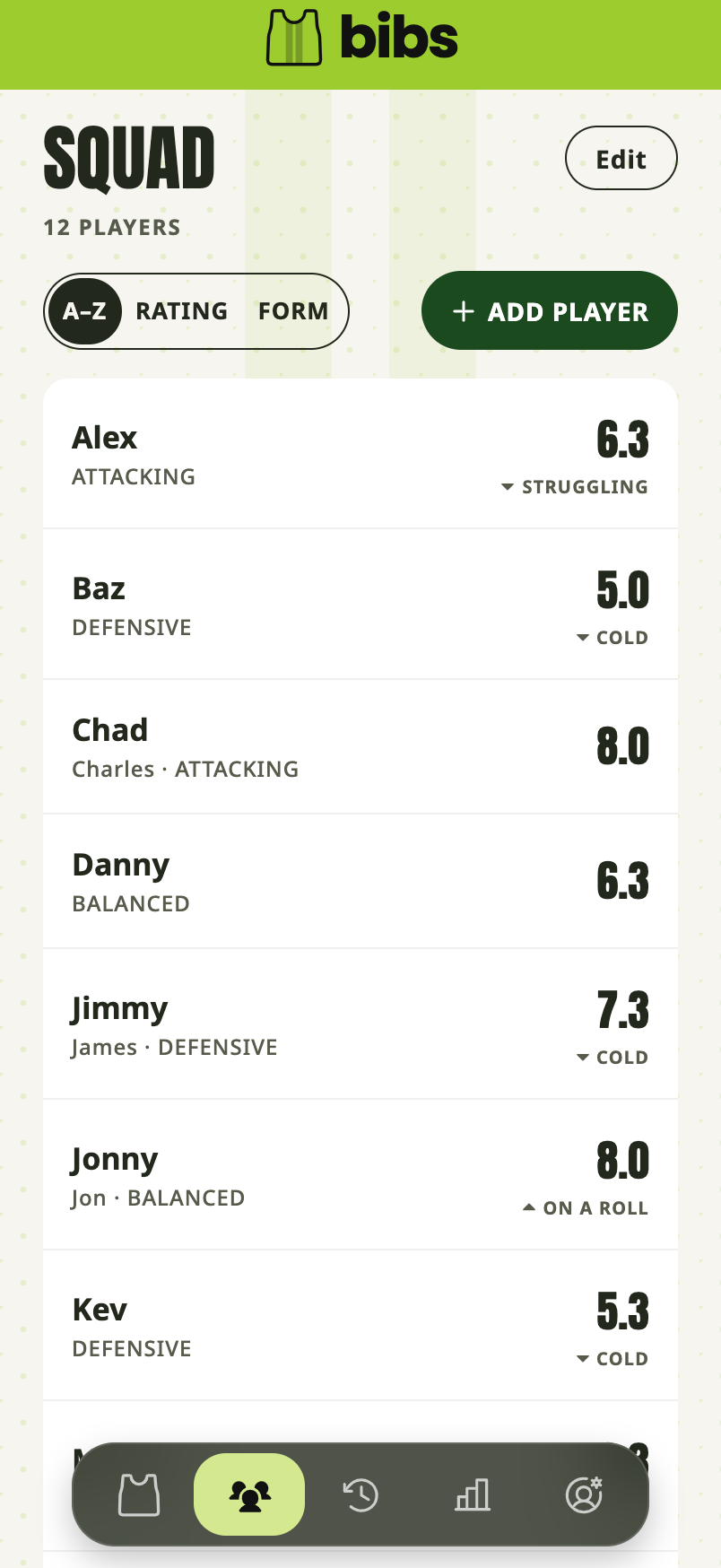
Add your regulars once, first names and nicknames welcome. You add the names yourself, so there is nothing for the players to set up here.
- Works for any squad size, from a tight ten to a big rotating group
- Add newcomers in seconds when someone brings a mate
- 2
Rate them privately
Score each player 1 to 10 across four things every gaffer already knows in their gut: pace, shooting, defending and goalkeeping.
- Ratings are only ever visible to you. Not to players, not to anyone with a link
- Nudge a rating any time as players hit form or lose a yard
- bibs adds a form word beside each name, FLYING down to STRUGGLING, so you can see who is hot without keeping a tally yourself
This is the hard rule bibs is built on: players can never see ratings, and they can never see the form words either. No bruised egos, no awkward conversations.
- 3
Tap who's in
On matchday, tick tonight's players from your squad list. Ten in? Twelve? Fourteen? bibs works with whoever actually turns up.
- 4
Generate the teams
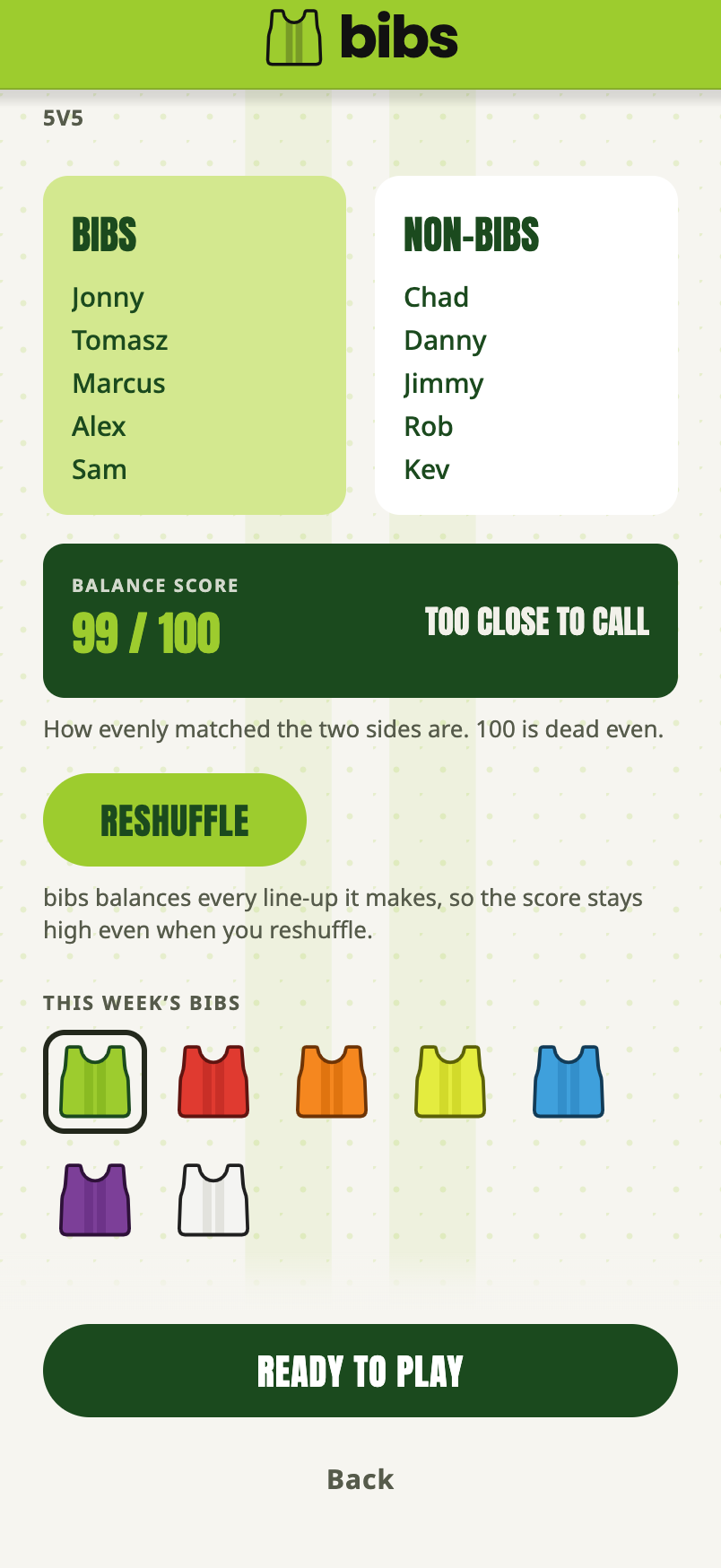
One tap and bibs weighs up everyone who is in and splits them into two sides that can properly match each other: Bibs and Non-Bibs, just like on the pitch.
- Balanced from your ratings, not randomly shuffled
- Form counts: recent wins and losses shift each player's weight in the balance
- A balance score out of 100 shows how close the sides are
- A verbal prediction sets the mood: TOO CLOSE TO CALL, BIBS BY A WHISKER
The form engine: every win quietly adds 0.1 to a player's hidden rating and every loss takes 0.1 off, up to plus or minus 1.0. Hot streaks and rough patches shape the sides automatically, and none of it is ever visible to players.
- 5
Share the teamsheet
Every matchday gets a proper tournament-style teamsheet in your team's colours, sized to look the business in WhatsApp. One tap and it lands in the group chat, teams announced, job done.
After
the whistle.
- 01
Log who won
One tap: Bibs, Non-Bibs, or it was a draw. Draws go down as honours even, with a result card to match. Every result also feeds the form engine, so the balance stays current.
- 02
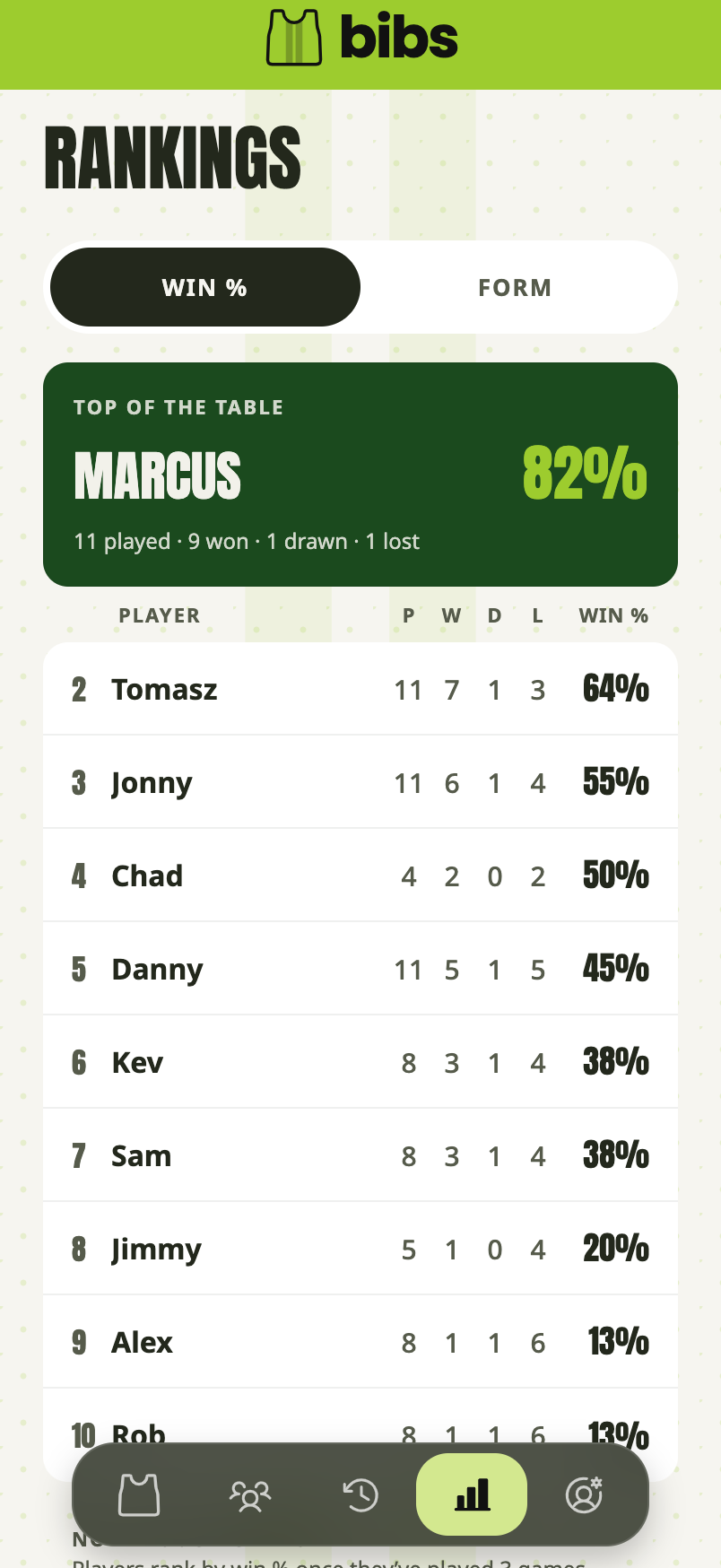
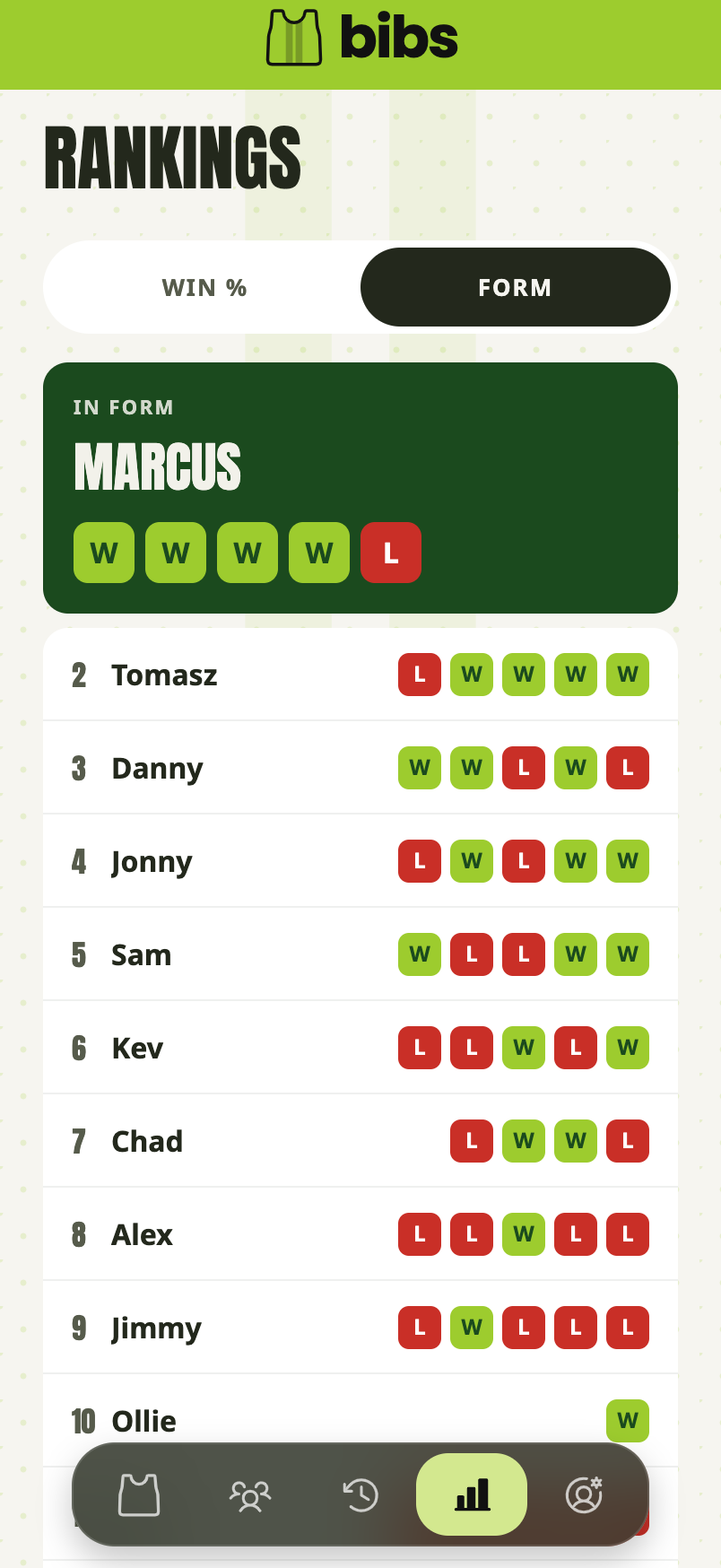
Rankings build all season
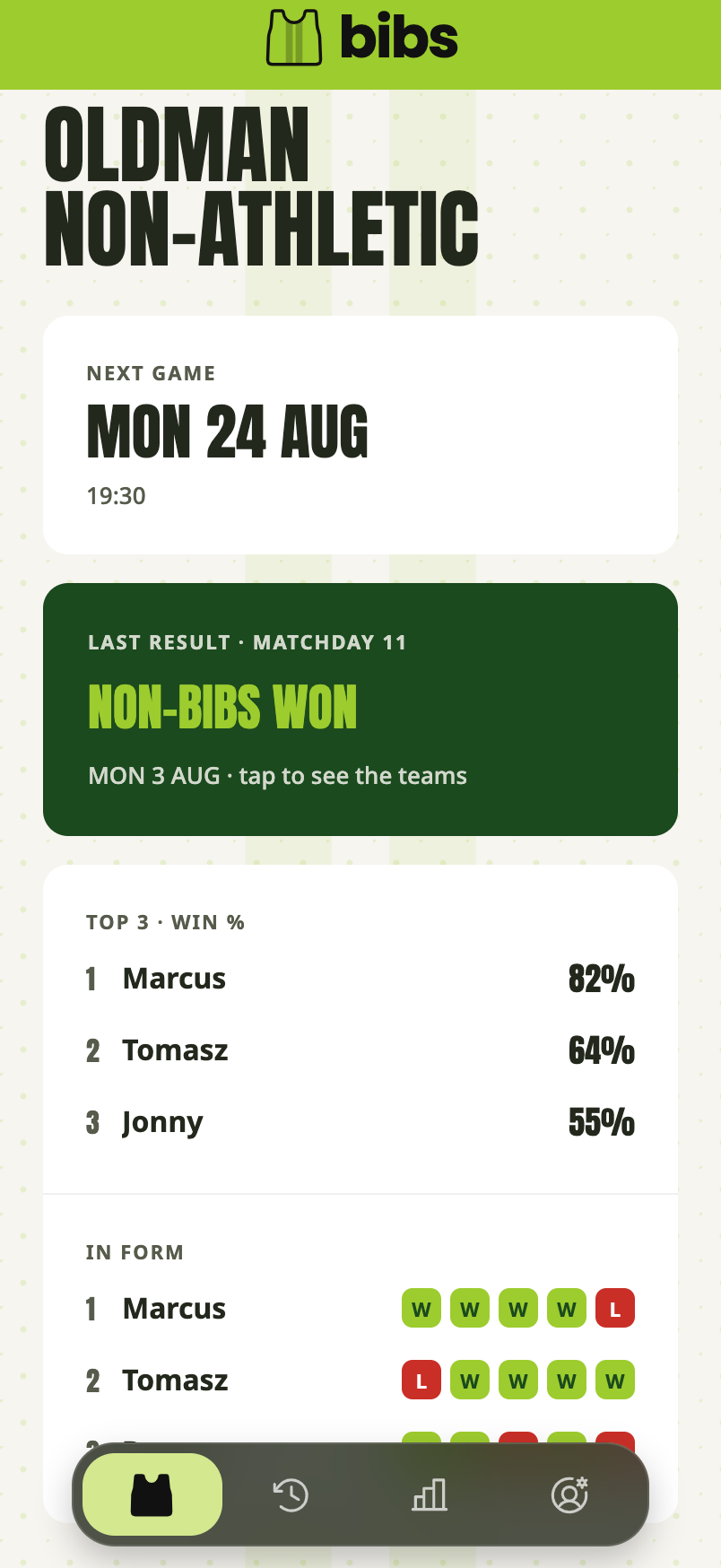
Every result feeds the win percentage table and each player's last-five form guide. Week by week, the season tells its own story.
- 03
Catch up on old games
Started using bibs mid-season? Log past games and they slot into the history in the right order.
What your
players see.
There is nothing for players to download. The teamsheet arrives in the group chat like any other photo.
Anyone who wants more taps your invite link and makes a free account. They get the season read-only: matchdays, results, the win percentage table and the last-five form guide.
What they can never see is ratings, or the hidden form behind the balance. Only the gaffer builds the squad, rates players and picks the teams. That is what keeps it fun.
Balance
the game
Five minutes of set-up. Fair teams every week after that.
Start your squad, it's free